
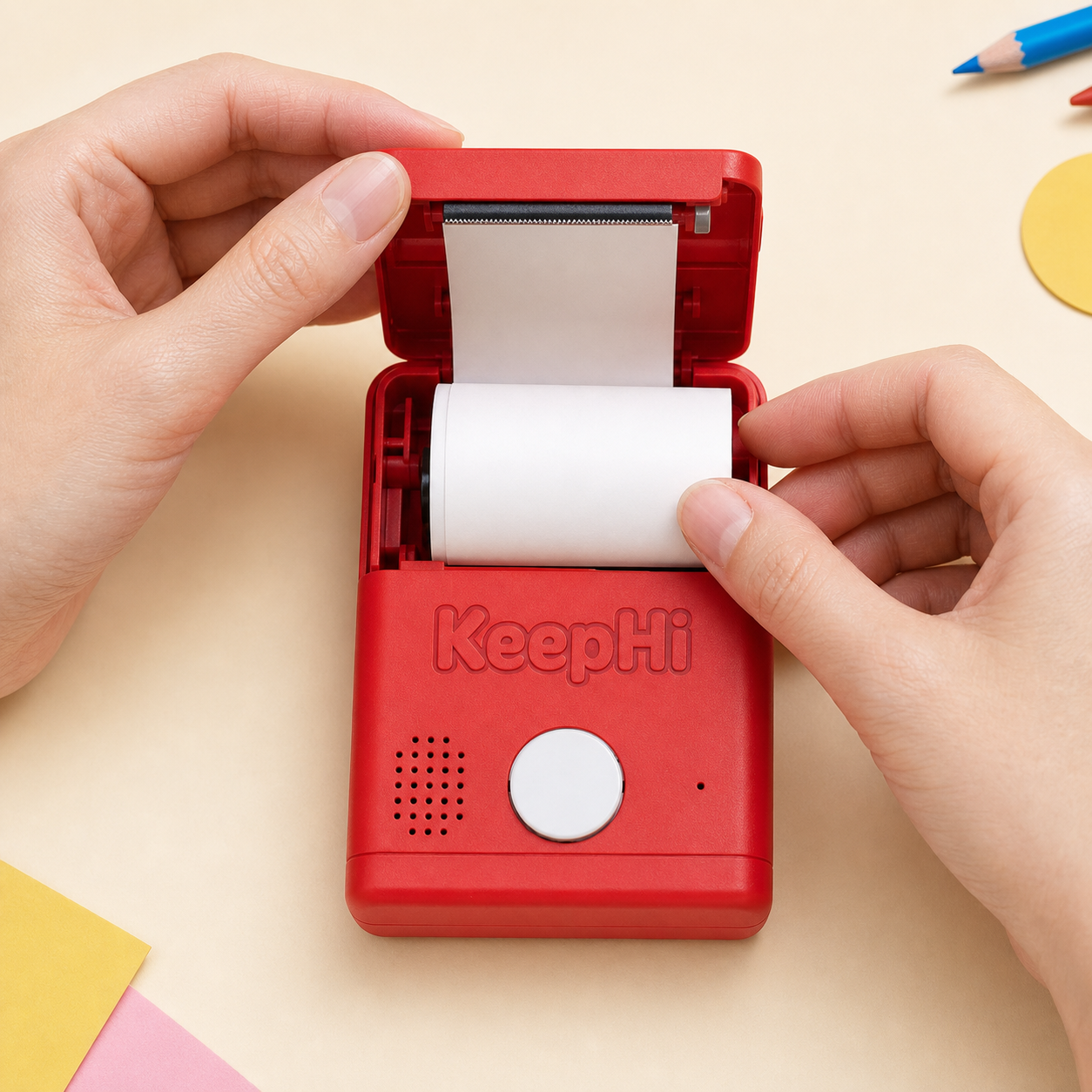
A clear guide to loading compatible KeepHi rolls, checking the printable side, and storing thermal paper correctly.
Correct paper loading helps KeepHi produce a clean print and keeps the roll moving smoothly. An adult should handle setup and reloads.
Before you begin
Turn the device off and place it on a stable surface. Use a compatible KeepHi roll that is dry, smooth, and free from bent edges.
Open and seat the roll
- Open the paper compartment.
- Place the roll inside so paper feeds toward the print head and output slot.
- Pull out a short, straight edge. Avoid a torn or wrinkled leading edge.
- Close the cover firmly without pinching the paper.
Check the printable side
Thermal paper prints on one coated side. If the device feeds blank paper, reload the roll in the opposite orientation and try again.
If the paper feeds unevenly
Open the compartment, remove the roll, trim a clean straight edge, and reseat it. Do not pull paper backward through the mechanism.
Store unused rolls well
- Keep rolls in a cool, dry place.
- Avoid direct sunlight, heaters, and hot cars.
- Protect paper from oils, cleaners, and high humidity.
- Keep rolls in their packaging until needed.
See KeepHi 101 for the complete adult-led setup flow.
